Project
Constructor ERP
Multi-tenant construction site management platform for contractors
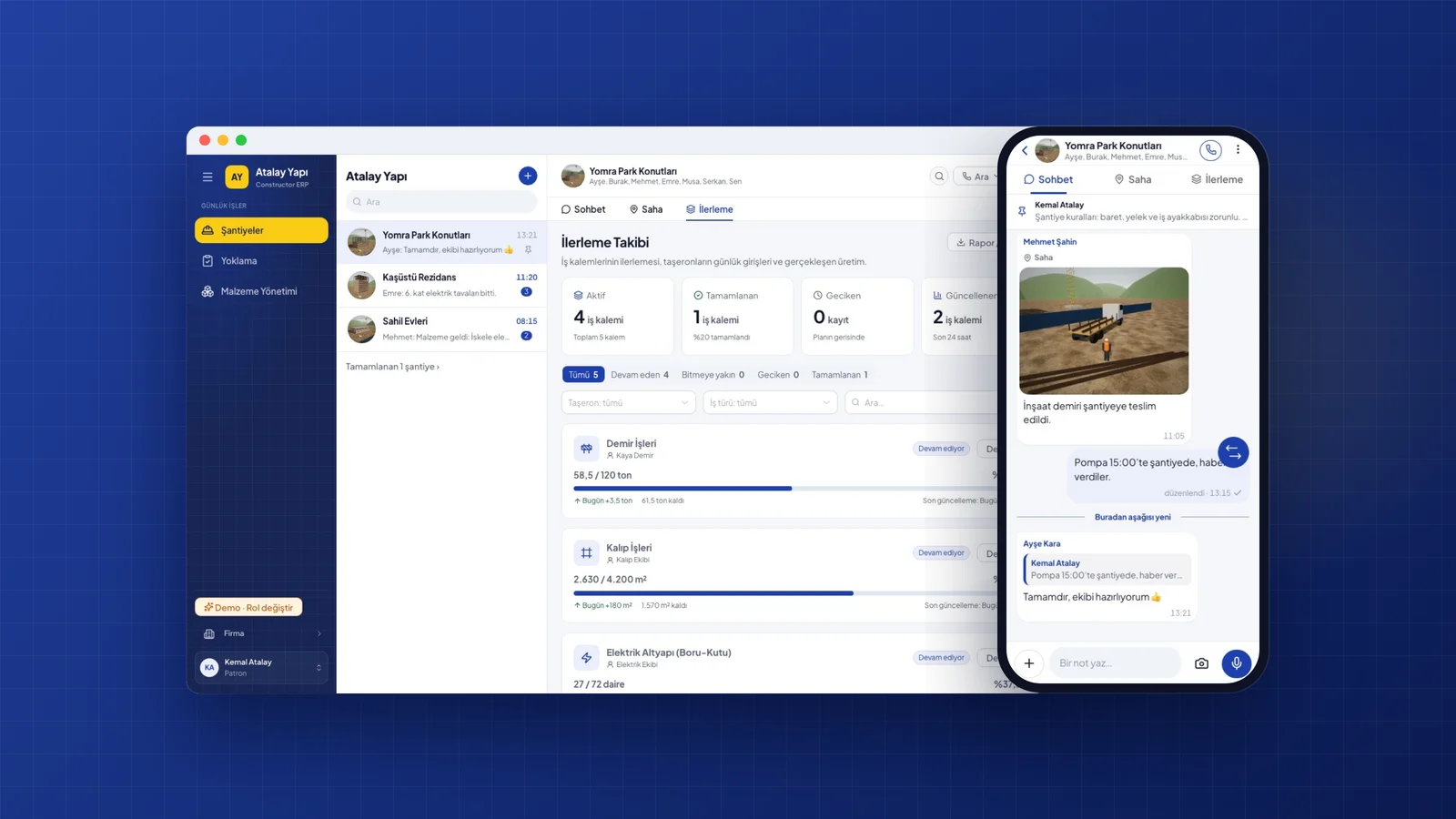
A multi-tenant SaaS product that lets contractors run their construction sites from one place instead of WhatsApp groups. Every site works like a group chat, with attendance and timesheets, material shipments and subcontractor progress alongside it. There is a simple field interface on the phone and a management dashboard on the desktop. In the live demo you can sign in as any of five roles without a password and try every screen.
- Technologies
- Java 25
- Spring Boot 4
- PostgreSQL 18
- Vue 3
- TypeScript
- Flyway
- Docker
- Testcontainers
- Playwright
- Element Plus
- Vant
- My role My teammate Musa Kusbey and I were a two-person team; I was the product owner and a full-stack developer. I decided the product direction, the code rules and the design of most modules, tried every change in the browser before accepting it, merged the branches and shipped the product. We wrote a significant part of the code with an AI assistant (Claude Code), under rules enforced at build time.
What I did
- I built the product around one idea: a construction site is a WhatsApp group. After four design rounds had blurred the product, I rebuilt it on behaviours users already know, such as a list sorted by the latest message, read ticks and pinning. On every screen I asked myself: “Could my uncle, who is a contractor, use this?”
- We turned an app written for a single customer into a sellable SaaS product: a marketing site, plan comparison, an application form, an onboarding wizard opened by a one-time link, and a platform panel that manages companies, subscriptions and payments.
- I guaranteed in two layers that one company's data is never visible to another: services filter by company, and PostgreSQL row-level security (RLS) never returns another company's rows. The app refuses to start if a table is left unprotected, and I closed traps such as the superuser that bypasses RLS and company context lingering in the connection pool.
- I tied the code rules to the build instead of leaving them in a document: files are capped at 200 lines and functions at 30, ESLint and Checkstyle enforce layer and library boundaries, and code that breaks a rule does not compile. This is what kept AI-assisted code consistent at speed.
- I simplified the materials module, which had grown into a warehouse management system (7 movement types, 8 statuses, 13 filters), into a shipment log: one shipment is one truck, with one destination and one waybill. The module's backend went from 3,622 to 2,336 lines; the commit I am proudest of in this project is one that removed things.
- We rebuilt the working first version of attendance around the real question: “How many days do we pay each person at the end of the month?” The site manager marks one company-wide list each morning, subcontractors are counted as crews, an unmarked day never turns into “absent” on its own, and the monthly timesheet is ready as an Excel file.
- We built two separate interfaces, Vant for the phone and Element Plus for the desktop, while the business logic is written once in a shared layer that ESLint keeps free of UI libraries. For weak signal on site there is an upload queue, photo compression on the phone and an app that opens from cache.
- I kept sessions on the server instead of using JWTs, because when an owner removes someone from the company, that person's session has to end immediately. The cookie is HttpOnly and SameSite=Strict, the database stores only a SHA-256 hash of the token, and cross-origin write requests are rejected using the Sec-Fetch-Site header.
- On free hosting the backend fell asleep and the database expired, so anyone reviewing the project saw a blank page. I built a fake backend that runs in the browser without touching the screens' code, so the live demo opens instantly. For anyone who wants the real system, one command is enough: ./scripts/start.sh sets everything up in Docker.
The problem
Most contractors in Turkey run their sites through WhatsApp groups. WhatsApp is great for messaging but not enough to manage a construction site: the photo of a column poured three weeks ago gets lost among hundreds of messages, nobody notices which site has sent no news today, timesheets are pieced together from notebooks and memory at the end of the month, and there is no record of which truck took how many bags of cement to which site.
What it offers
The owner sees every site, who showed up and where materials went at a glance from the phone. The site manager enters attendance and daily progress in a few taps; workers send photos, report problems and see their own timesheet. Because the app still looks like a group chat, nobody has to learn anything new, and the monthly timesheet is ready as an Excel file.
-
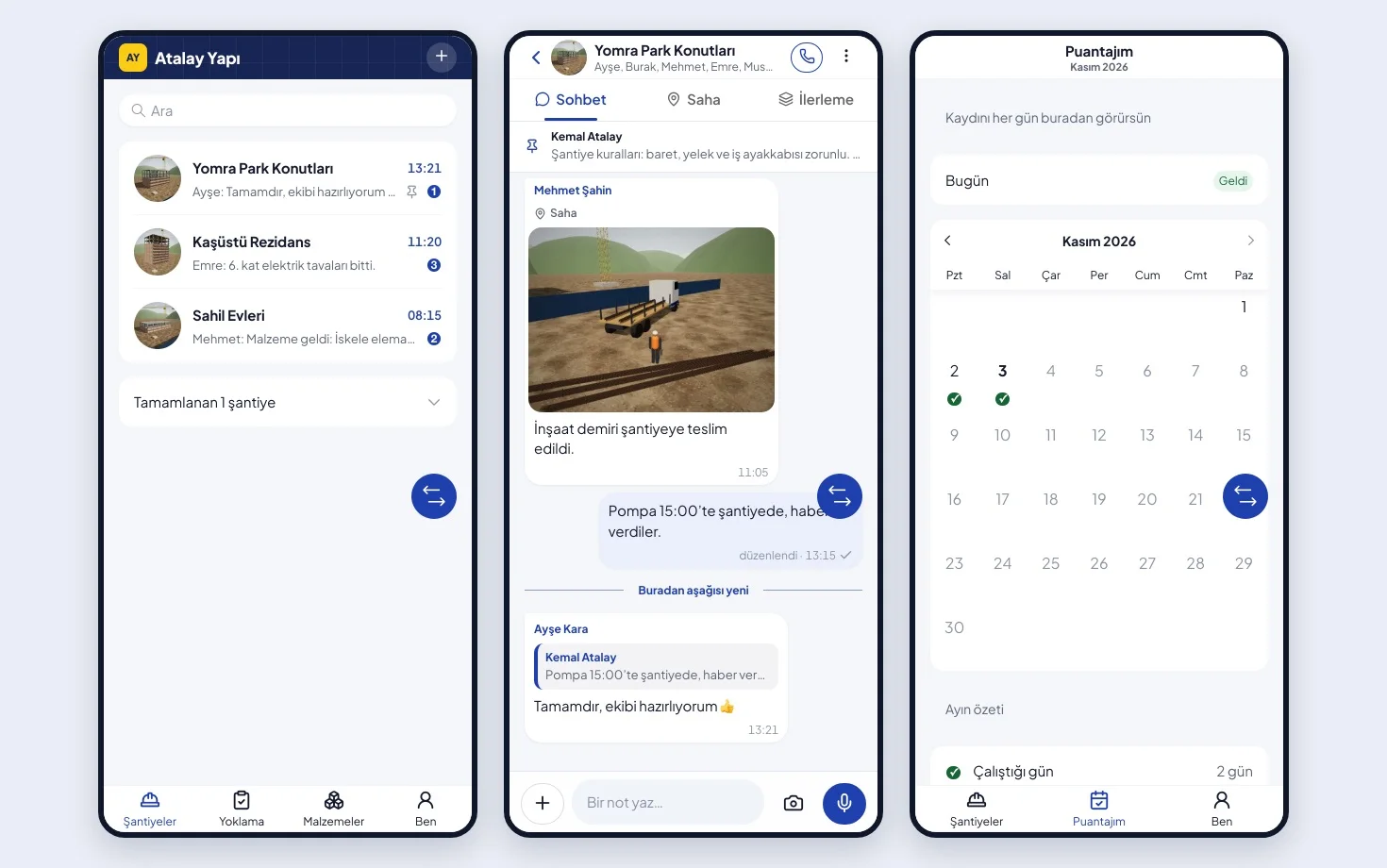
Phone interface: the site list, a site chat with photos and a worker's own timesheet -
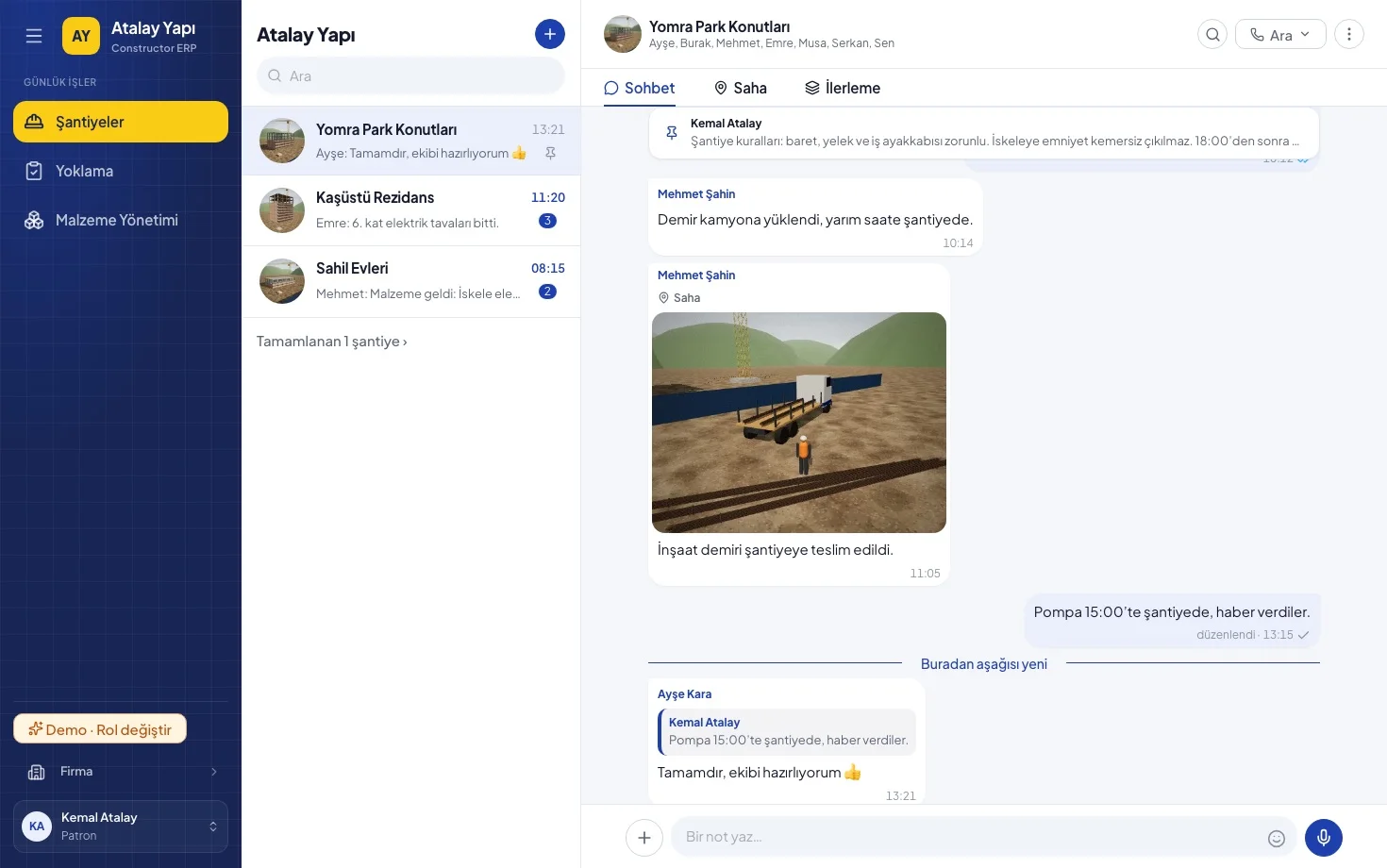
Site chat on the desktop: pinned rules, a field update with a photo and unread messages -
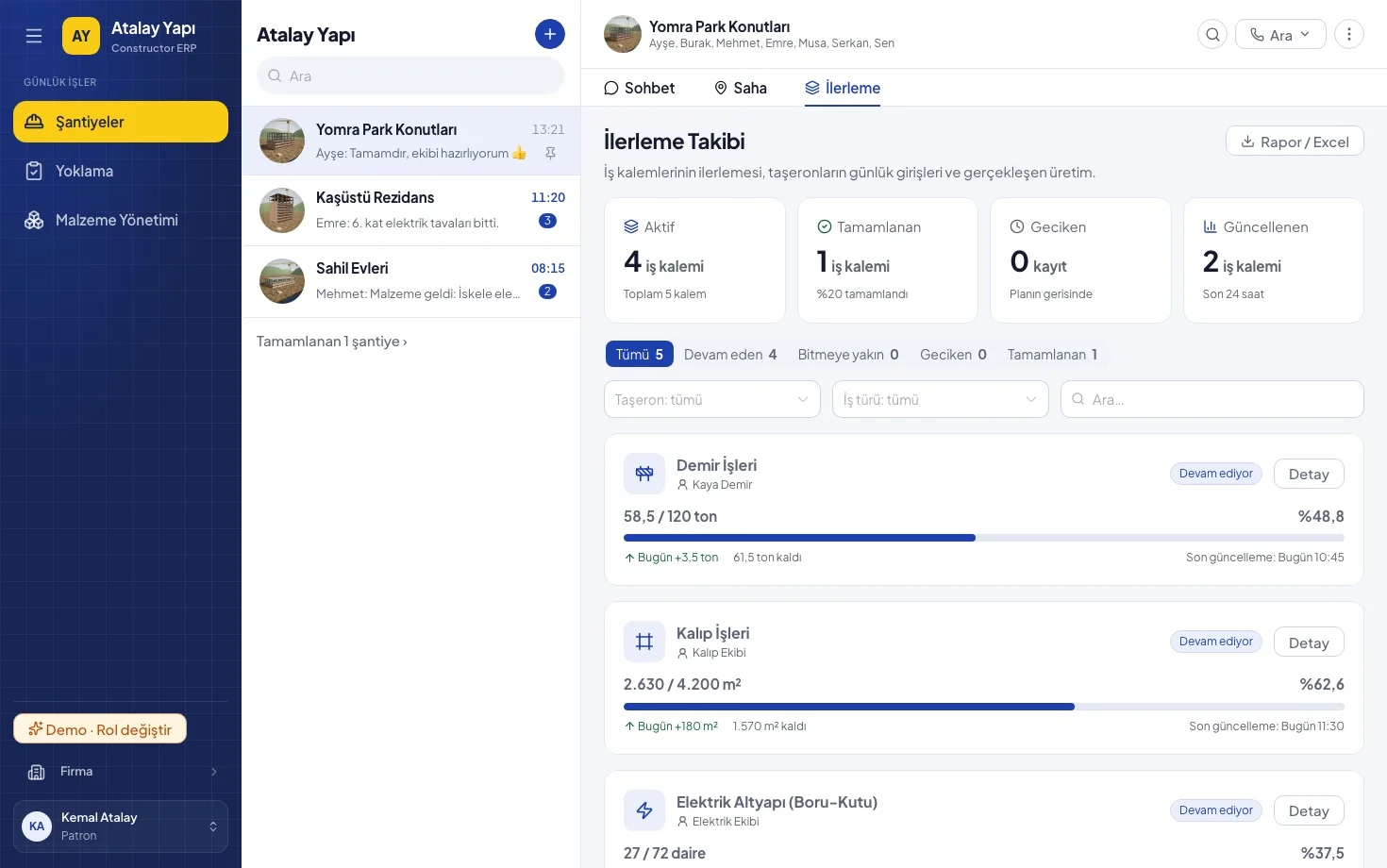
Progress tracking: subcontractor work items with the completed quantity and percentage -
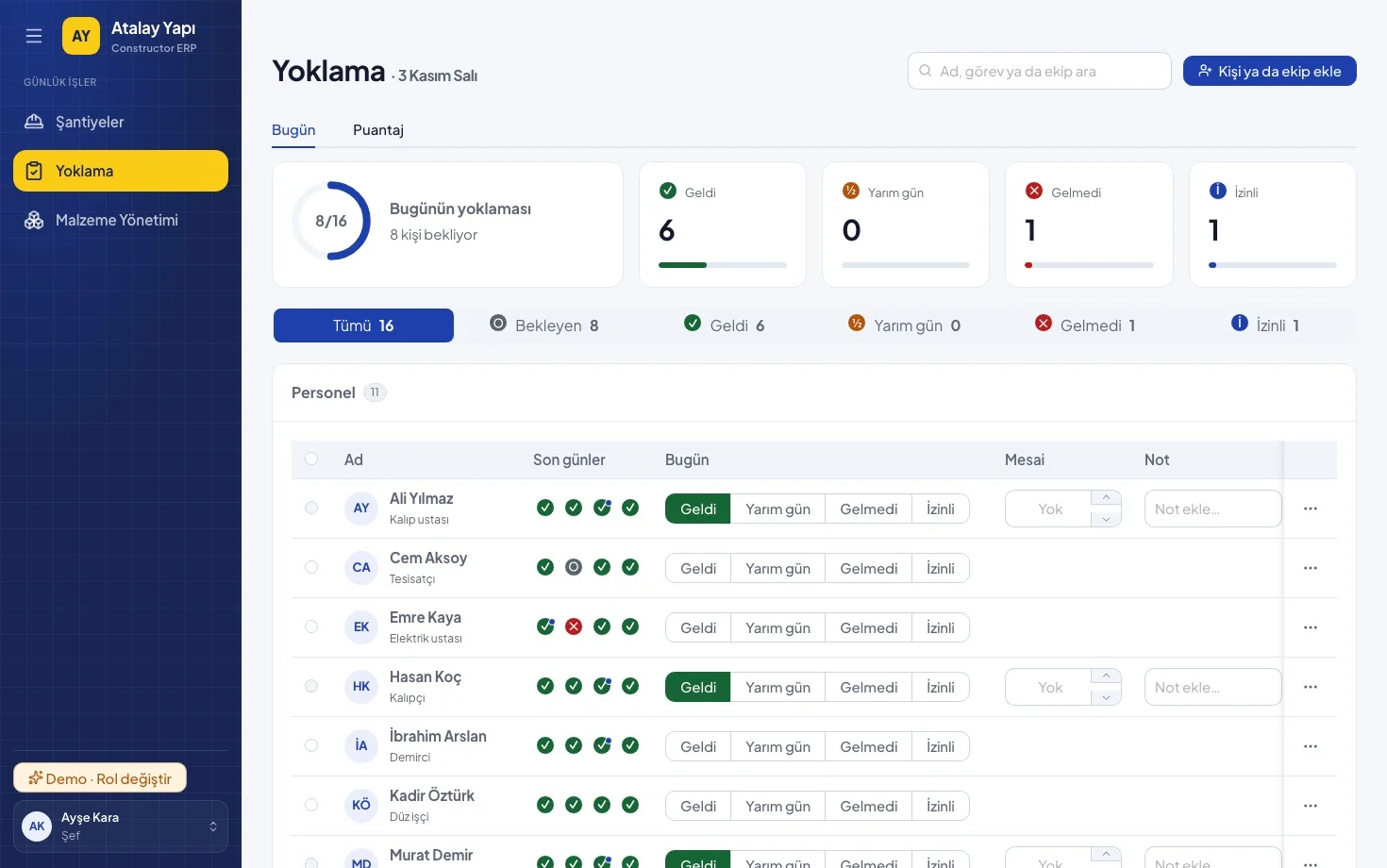
Attendance: the site manager marks a single list each morning and can add overtime and notes -
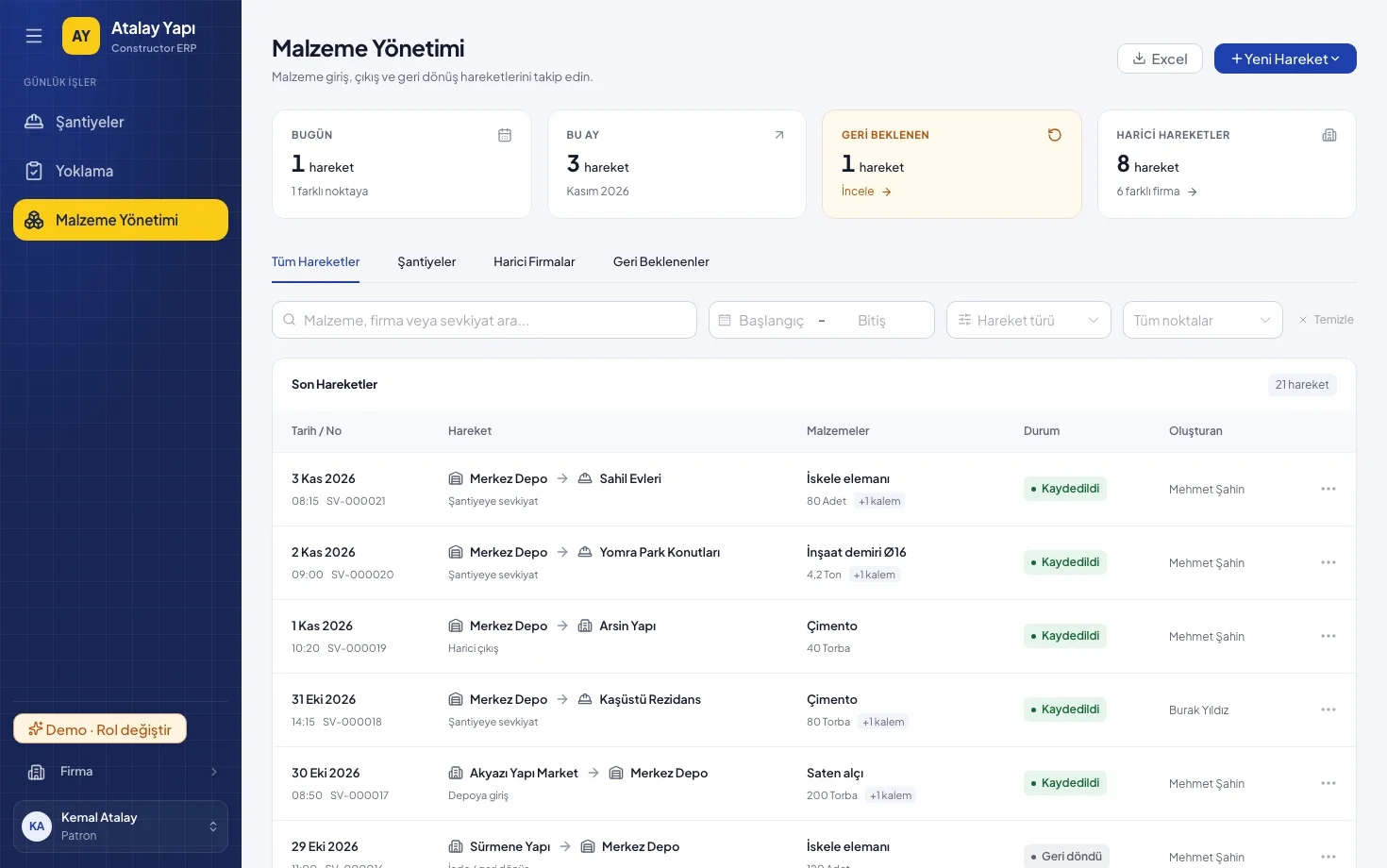
Material management: where each shipment went and how much of each material it carried -
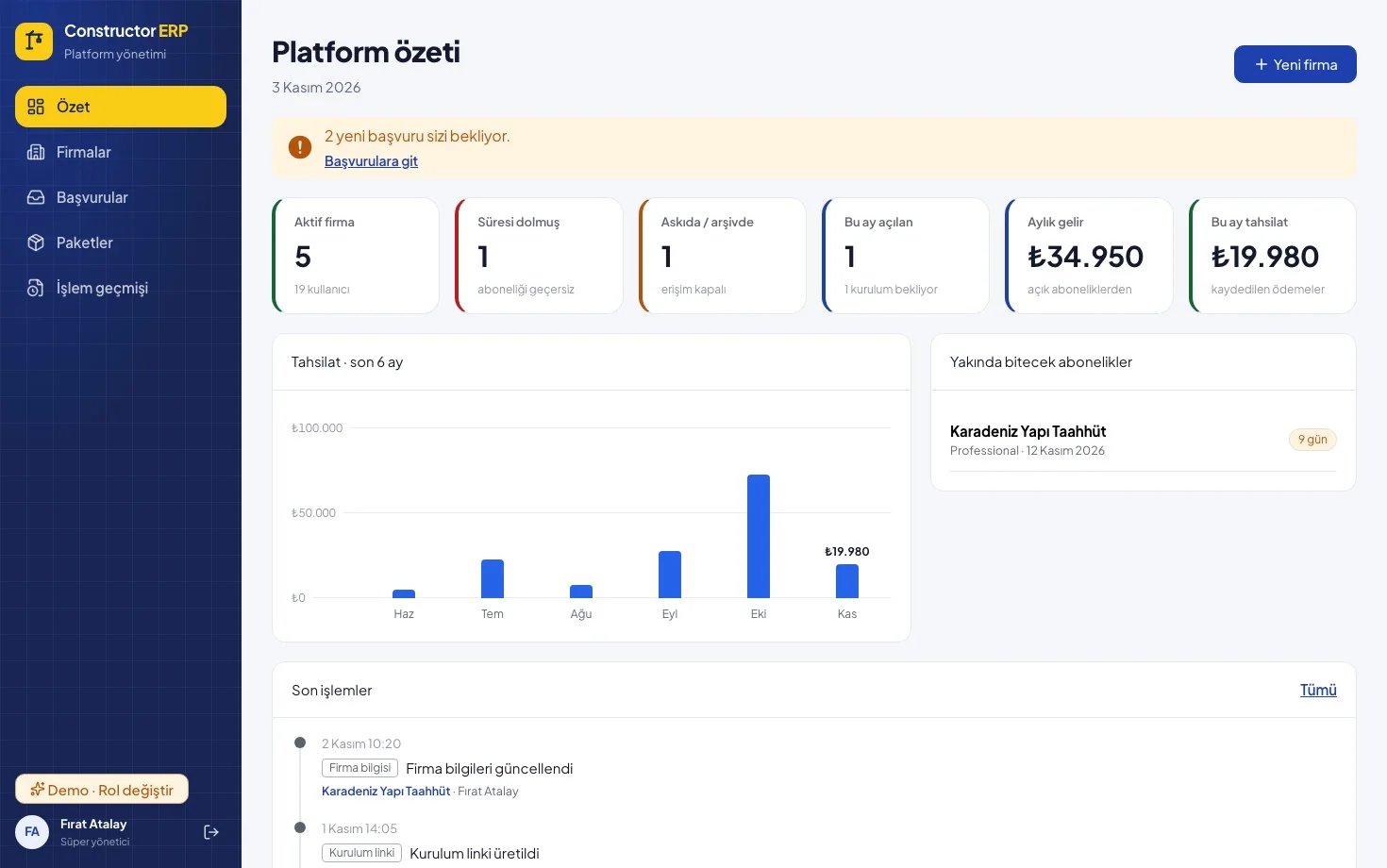
Platform admin: active companies, monthly revenue, collections and subscriptions about to expire -
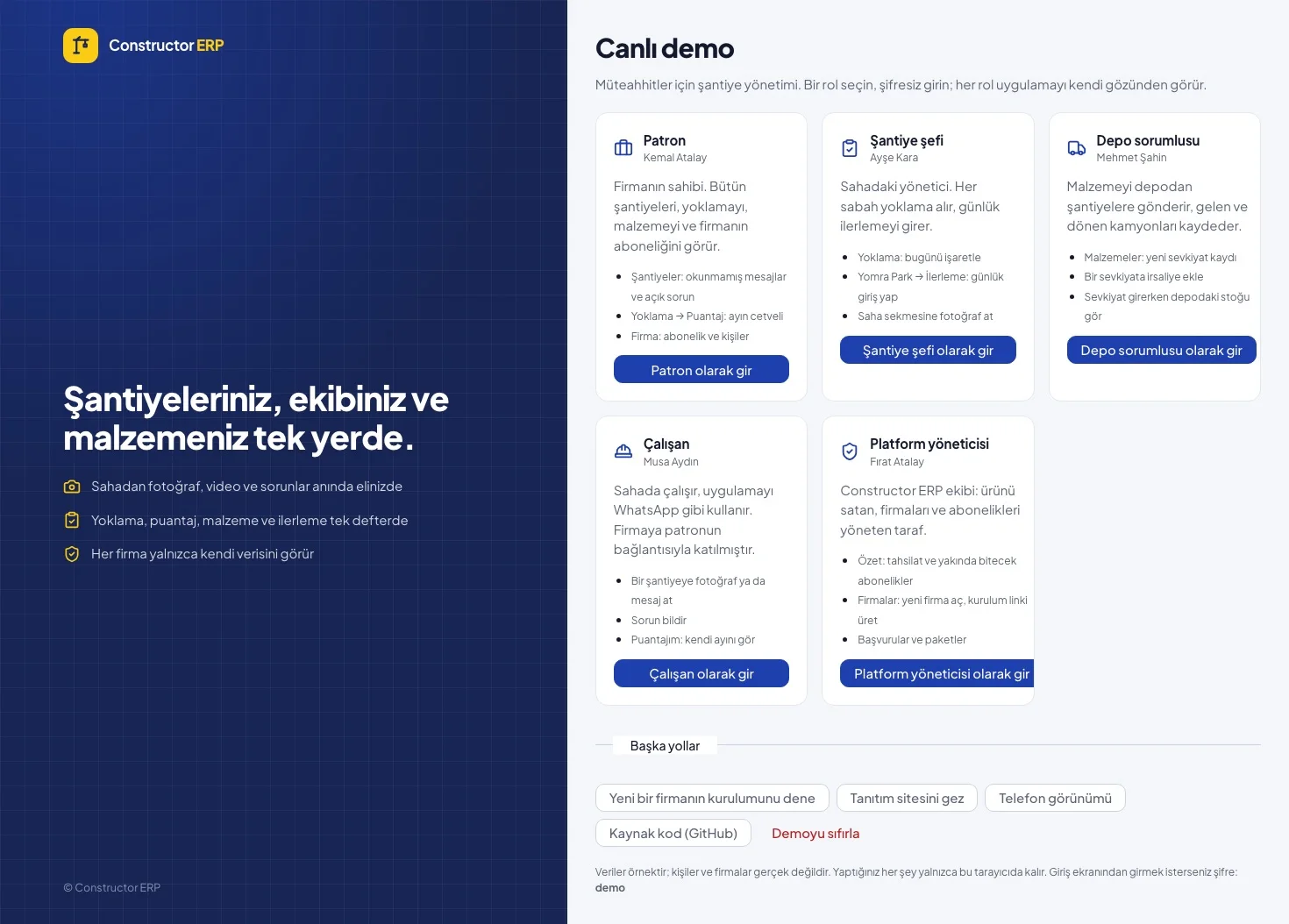
The live demo's entry page: five roles, no password